
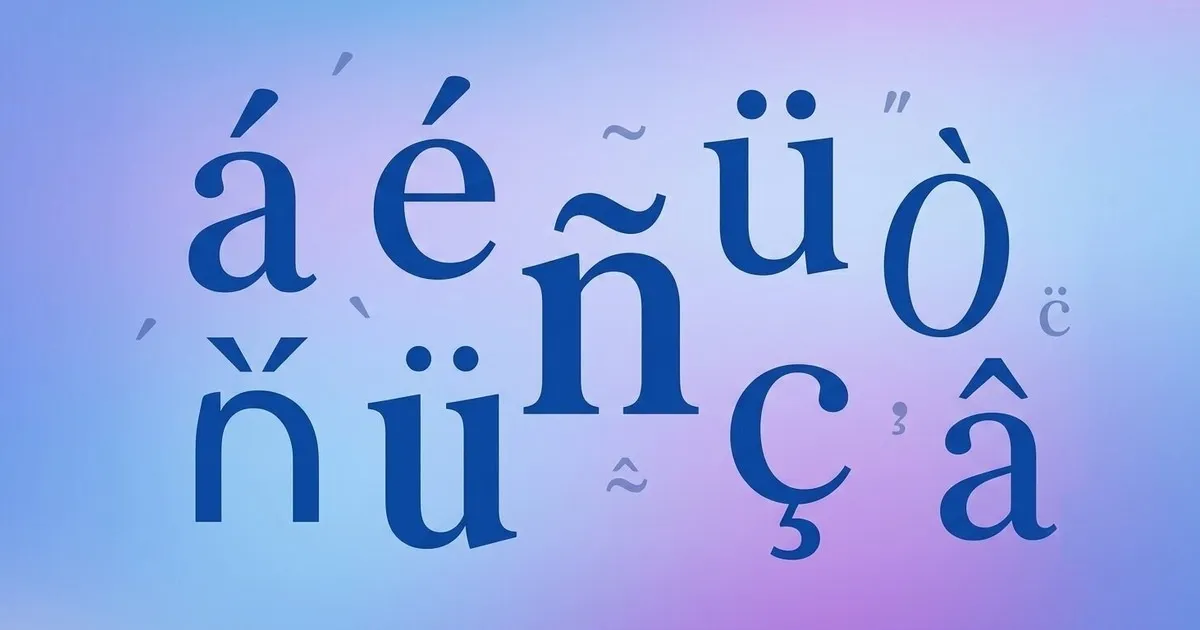

This guide covers the full list of accent letters, the different types of accent marks (acute, grave, circumflex, umlaut, tilde, cedilla, and more), what each one means, and how to type or copy and paste them instantly, no special keyboard required.
A with accent
The accented letter 'a' has 33 lowercase and 33 uppercase variations. Our full guide to the a with accent also contains more in-depth information, including Windows and Mac Alt codes, keyboard shortcuts, and more.
Lowercase a accent
Capital A accent
B with accent
The accented letter 'b' has 6 lowercase and 6 uppercase variations. Our guide to the accented b also covers additional details, including Windows and Mac Alt codes, keyboard shortcuts, and more.
Lowercase b accent
Capital B accent
C with accent
The accented c has 8 lowercase and 8 uppercase variations. Click on the link to learn more about c with accent.
Lowercase c accent
Capital C accent
D with accent
The letter D has 12 lowercase and 14 uppercase accented forms. Here is a complete guide to accented D, covering each of these accents, how they are pronounced, and which languages use them most.
Lowercase d accent
Capital D accent
E with accent
E is the most versatile accented letter in the Latin alphabet, appearing as é, è, ê, ë, and more, each with both uppercase and lowercase forms. The most commonly used are e with acute accent (é) and e with grave accent (è), seen daily in French, Spanish, Italian, Portuguese, and Vietnamese. Learn how to pronounce each one and what sound every accented e produces in our complete guide to e with accents.
Lowercase e accent
Capital E accent
F with accent
The letter f has one of the smallest sets of accent forms among the alphabet. Its main variations are f with dot above, f with hook, and f with degree, also known as the Fahrenheit symbol. This article on f with accent covers how to type each one using Windows alt codes, Mac keyboard shortcuts, and simple copy paste.
Lowercase f accent
Capital F accent
G with accent
Lowercase g accent
Capital G accent
H with accent
Lowercase h accent
Capital H accent
I with accent
Lowercase i accent
Capital I accent
J with accent
Lowercase j accent
Capital J accent
K with accent
Lowercase k accent
Capital K accent
L with accent
Lowercase l accent
Capital L accent
M with accent
Lowercase m accent
Capital M accent
N with accent
Lowercase n accent
Capital N accent
O with accent
Lowercase o accent
Capital O accent
P with accent
Lowercase p accent
Capital P accent
Q with accent
Lowercase q accent
Capital Q accent
R with accent
Lowercase r accent
Capital R accent
S with accent
Lowercase s accent
Capital S accent
T with accent
Lowercase t accent
Capital T accent
U with accent
Lowercase u accent
Capital U accent
V with accent
Lowercase v accent
Capital V accent
W with accent
Lowercase w accent
Capital W accent
X with accent
Lowercase x accent
Capital X accent
Y with accent
Lowercase y accent
Capital Y accent
Z with accent
Lowercase z accent
Capital Z accent
Types of Accent Marks (or diacritics)
Accent marks (also called diacritics or diacritical marks) are small symbols added above, below, or through a letter to change its pronunciation, stress, or meaning. Below are the main types of accent marks used across languages, with examples, how each one affects pronunciation, and other useful details.
| Accent Mark | Example | Purpose | Common Languages |
|---|---|---|---|
| Acute | á | Marks stress or a changed vowel sound | Spanish, French, Portuguese |
| Grave | à | Marks stress or distinguishes words | French, Italian |
| Circumflex | â | Lengthens a vowel or marks a dropped letter | French, Portuguese, Romanian |
| Umlaut / Diaeresis | ü | Changes a vowel or separates two vowels | German, French, Turkish |
| Tilde | ñ | Adds a nasal sound | Spanish, Portuguese |
| Cedilla | ç | Softens a hard consonant | French, Portuguese, Turkish |
| Ring Above | å | Alters the vowel sound | Swedish, Norwegian, Danish |
| Caron / Háček | č | Gives a soft, “sh”-like sound | Czech, Slovak, Croatian |
| Macron | ā | Marks a long vowel | Japanese romaji, Latin, Maori |
| Breve | ă | Marks a short vowel | Romanian, Vietnamese, Latin |
| Ogonek | ą | Nasalizes the vowel | Polish, Lithuanian |
Acute Accent ( ´ )
The acute accent is a small line slanting upward from left to right, placed above a letter. It usually indicates stress or a change in vowel sound.
How it sounds: In Spanish, it simply tells you which syllable to stress. It doesn't change the vowel's sound, so the word “sábado” is stressed on the first syllable. In French, it changes the vowel quality itself, so é sounds like “ay” while an unaccented e can sound like “uh.”
Used in: Spanish, French, Portuguese, Italian, Polish, Czech, Hungarian
Grave Accent ( ` )
The grave accent slants downward from left to right, the mirror image of the acute accent. It can affect pronunciation or distinguish words that would otherwise be spelled the same.
How it sounds: In French, è makes an “eh” sound (open), different from é's “ay” sound (closed). In Italian, it usually just marks stress rather than changing the sound.
Used in: French, Italian, Portuguese, Vietnamese
Circumflex ( ˆ )
The circumflex looks like a small triangle or hat above a letter. It often marks a lengthened vowel sound or signals a historical dropped letter.
How it sounds: It typically lengthens or slightly deepens the vowel sound, so â is a longer, more open “ah” than plain a in French.
Used in: French, Portuguese, Romanian, Vietnamese
Umlaut / Diaeresis ( ¨ )
Two dots placed above a letter. As an umlaut, it changes the vowel sound itself, which is common in German. As a diaeresis, it shows that two adjacent vowels are pronounced separately rather than blended into one sound, which is common in English and French words like “naïve.”
How it sounds: In German, the umlaut shifts the vowel forward in the mouth, so ü sounds roughly like the French “u” or a tightly-rounded “ee,” and ö sounds similar to the vowel in the English “bird.” As a diaeresis, the dots don't change the vowel's own sound; they just prevent it from merging with the vowel next to it, so “naïve” is pronounced “nah-EEV,” not “nave.”
Used in: German, Turkish, Hungarian, French, Spanish (ü in “pingüino”)
Tilde ( ~ )
A wavy line placed above a letter, most often used to indicate a nasal sound or to represent an entirely distinct letter with its own pronunciation.
How it sounds: Spanish ñ sounds like “ny,” similar to the “ny” in “canyon,” so “año” sounds like “AH-nyo,” not “AH-no.” In Portuguese, the tilde nasalizes the vowel, pushing air through the nose as you say it, so ã sounds roughly like “ah” said through the nose.
Used in: Spanish, Portuguese
Cedilla ( ¸ )
A small hook or tail placed underneath a letter, most commonly under “c,” to soften its pronunciation.
How it sounds: It softens a hard “k” sound into a soft “s” sound. In French, “garçon” is pronounced with an “s” sound, not a “k” sound, because of the cedilla.
Used in: French, Portuguese, Turkish
Ring Above ( ˚ )
A small circle placed above a letter, most commonly above “a,” used to alter the vowel sound.
How it sounds: å sounds similar to the “aw” in “saw” or “law,” quite different from a plain “a.”
Used in: Swedish, Norwegian, Danish
Caron / Háček ( ˇ )
A small “v”-shaped mark placed above a letter, giving certain consonants a “soft” or “sh”-like sound.
How it sounds: č sounds like “ch” in “church,” š sounds like “sh” in “shoe,” and ž sounds like the “s” in “measure.”
Used in: Czech, Slovak, Croatian, Slovenian
Macron ( ¯ )
A straight horizontal line placed above a letter, indicating a long vowel sound.
How it sounds: It simply means “hold this vowel longer” than you would a plain vowel. It doesn't change the vowel's basic quality, just its duration.
Used in: Japanese romanization (romaji), Latin, Maori, Hawaiian
Breve ( ˘ )
A curved mark resembling a small smile, placed above a letter to indicate a short vowel sound. It is the opposite of the macron.
How it sounds: It signals a short, quick vowel sound rather than a drawn-out one.
Used in: Romanian, Vietnamese, Latin phonetic transcription
Ogonek ( ˛ )
A small hook or tail placed beneath a vowel, indicating nasalization.
How it sounds: Like the Portuguese tilde, it nasalizes the vowel, pushing air through the nose while pronouncing it, giving a sound with no direct English equivalent.
Used in: Polish, Lithuanian
How to Write / Type Accent Letters?
Accent letters can be typed on any device using built-in shortcuts, no extra software needed. The exact method depends on your platform. Here's how to do it on each one, plus a few popular examples and a generic method that works everywhere.
Windows (alt code)
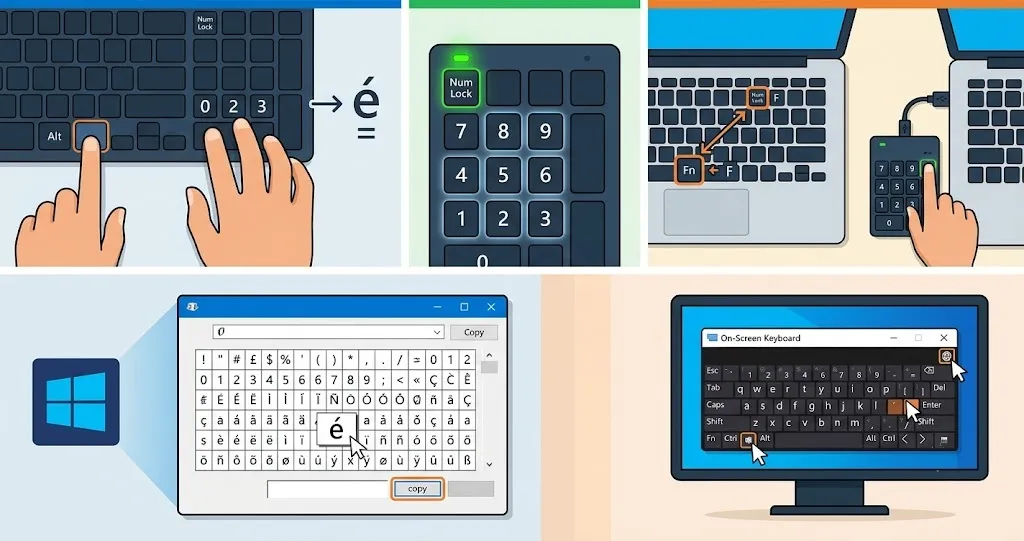
- Hold Alt and type a numeric code on the keypad, then release Alt (e.g. Alt + 0233 = é)
- Make sure Num Lock is on and use the numeric keypad, not the number row above the letters
- No keypad? Enable the hidden keypad with Fn + NumLock, or use a USB numeric keypad
- Open Character Map from the Start menu to find and copy any accented letter
- Use the On-Screen Keyboard (Start menu search) and switch to an international layout to click accents directly
| Letter | Shortcut |
|---|---|
| é | Alt + 0233 |
| è | Alt + 0232 |
| ñ | Alt + 0241 |
| ü | Alt + 0252 |
| ç | Alt + 0231 |
| â | Alt + 0226 |
Mac
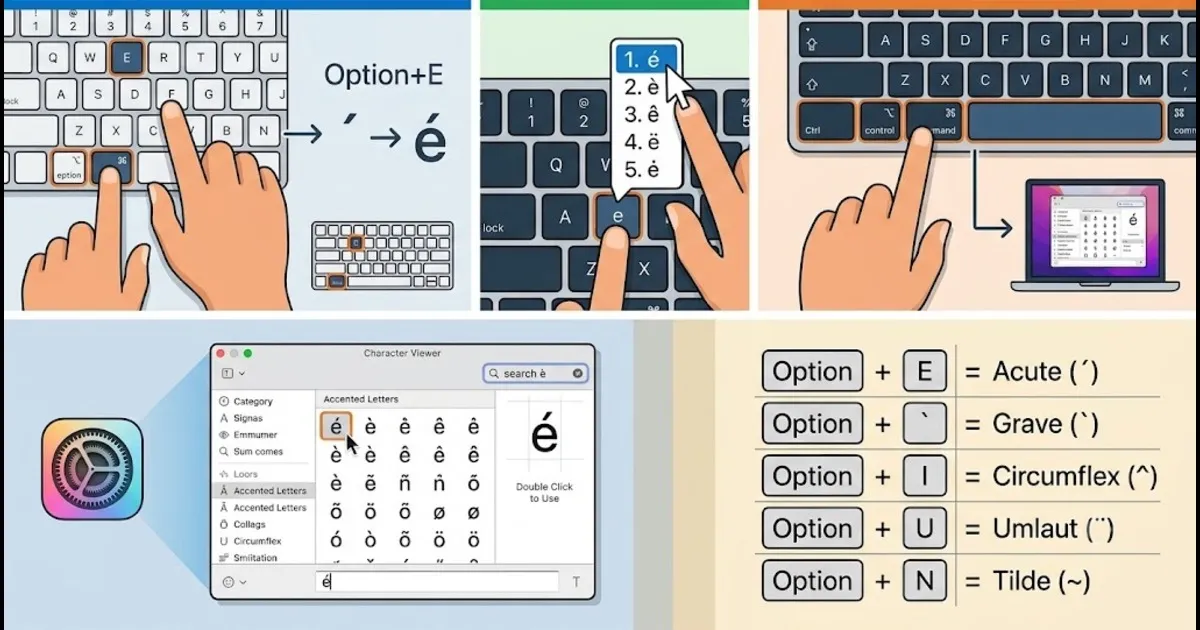
- Hold Option (⌥) plus a key, release, then type the letter (e.g. Option + E, then E = é)
- Option + E = acute (´), Option + ` = grave, Option + I = circumflex (ˆ), Option + U = umlaut (¨), Option + N = tilde (~)
- Press and hold a letter key (like “e”) to open a popup with accented variations, then click or press the number shown
- Open Character Viewer with Control + Command + Spacebar, search the letter, and double-click to insert it
| Letter | Shortcut |
|---|---|
| é | Option + E, then E |
| è | Option + `, then E |
| ñ | Option + N, then N |
| ü | Option + U, then U |
| â | Option + I, then A |
| ã | Option + N, then A |
iPhone / iPad
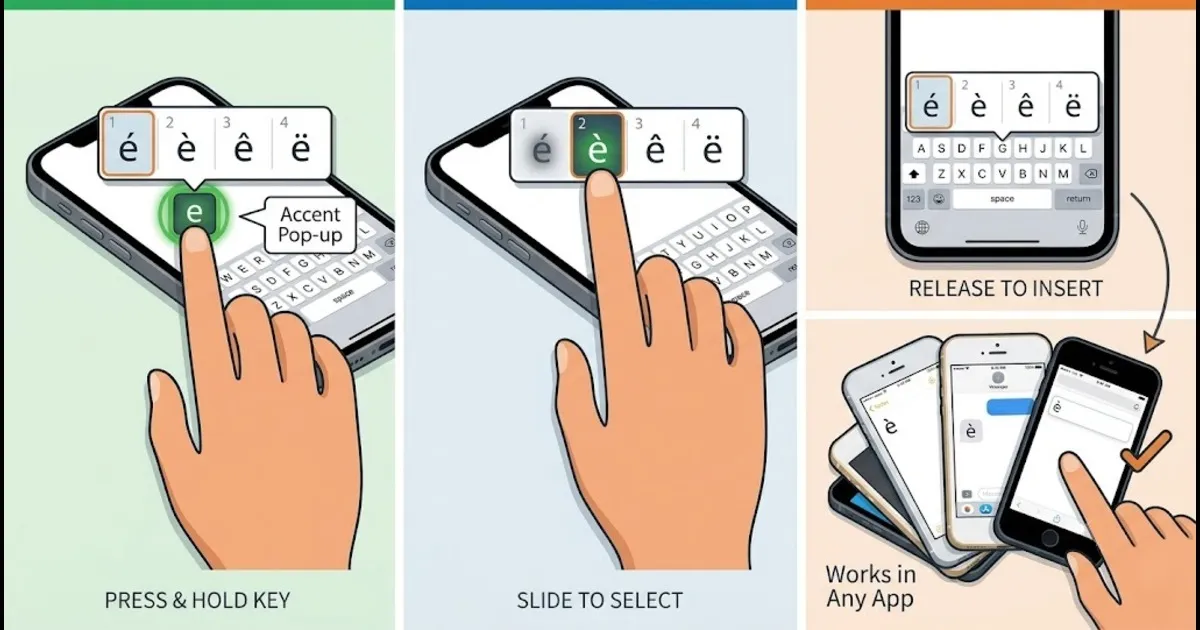
- Press and hold any letter key on the keyboard to see its accented variations
- Slide your finger to the accent you want, then release to insert it
- Works the same way in any app, no settings changes required
Android
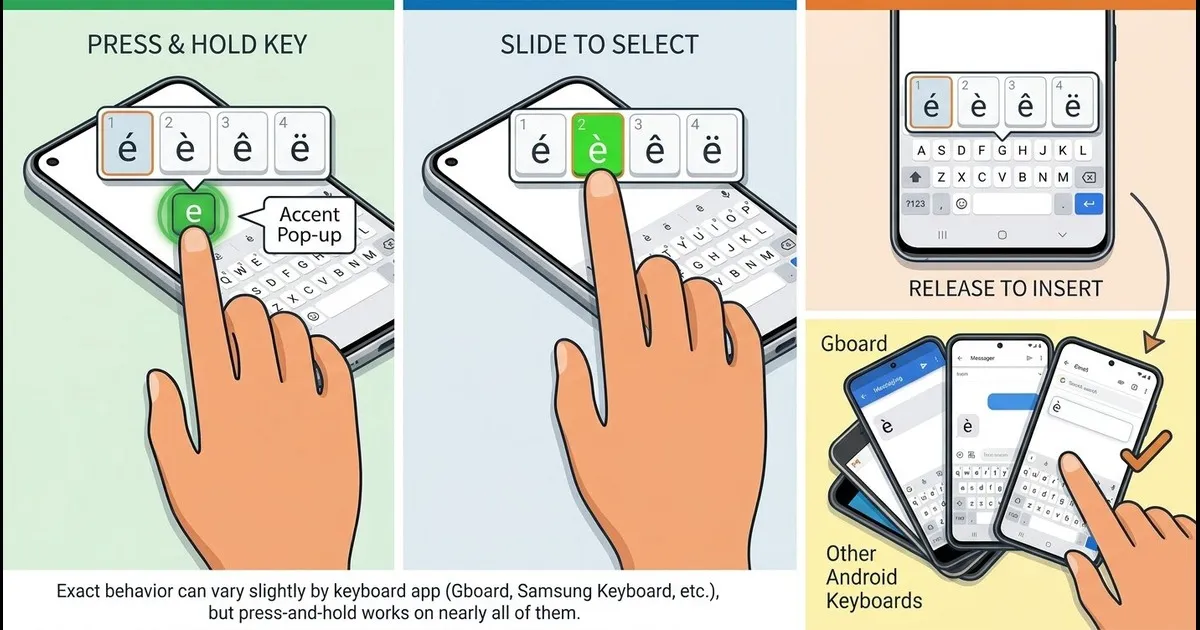
- Press and hold a letter key to bring up a popup of accented options
- Slide to the accented letter and lift your finger to select it
- Exact behavior can vary slightly by keyboard app (Gboard, Samsung Keyboard, etc.), but press-and-hold works on nearly all of them
Google Docs
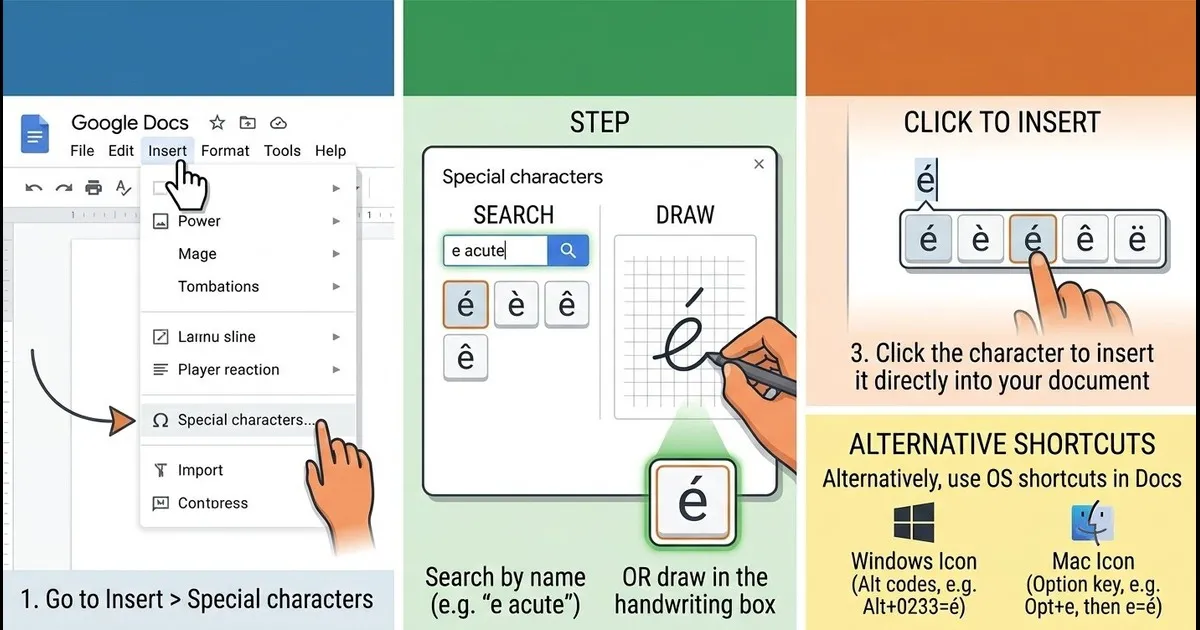
- Go to Insert > Special characters
- Search the letter by name (e.g. “e acute”) or draw it in the handwriting box
- Click the character to insert it directly into your document
- Alternatively, use your operating system's shortcut (Alt codes on Windows, Option key on Mac) directly inside Docs
Microsoft Word
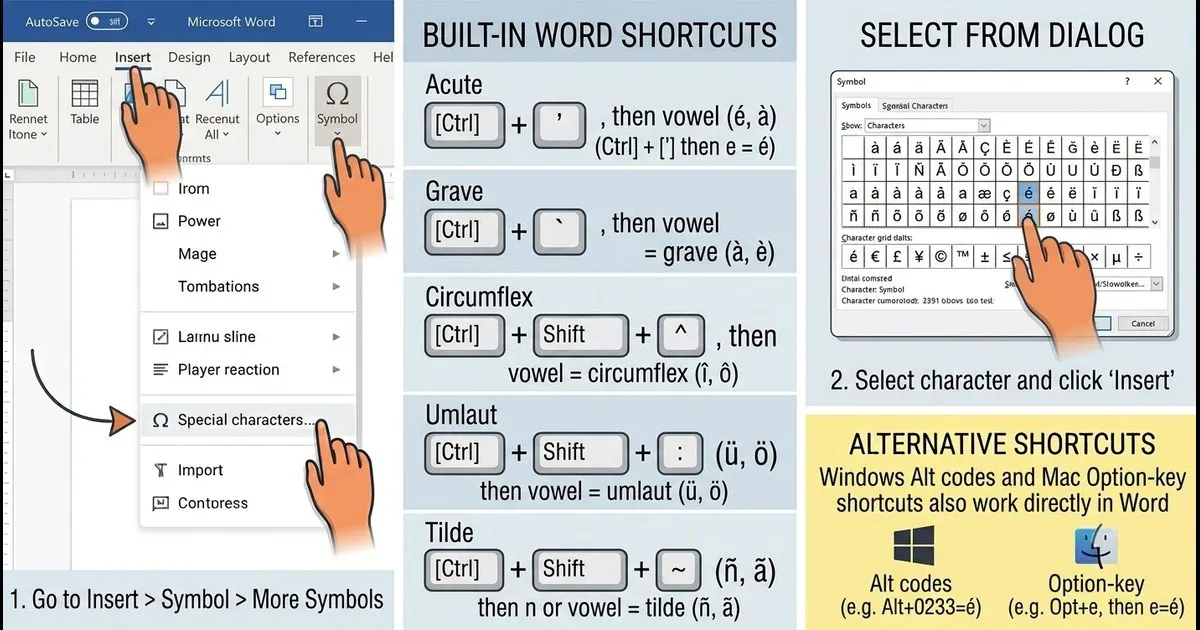
- Go to Insert > Symbol > More Symbols and select the accented letter
- Or use Word's built-in shortcuts, such as Ctrl + ' then a vowel for an acute accent (e.g. Ctrl + ' then e = é)
- Ctrl + ` then a vowel = grave accent, Ctrl + Shift + ^ then a vowel = circumflex, Ctrl + Shift + : then a vowel = umlaut, Ctrl + Shift + ~ then n or a vowel = tilde
- Windows Alt codes and Mac Option-key shortcuts also work directly in Word
Word also has its own built-in keyboard shortcuts that work regardless of whether you're on Windows or Mac. These use dead-key combinations, so the accent mark and the letter are pressed as two separate steps.
| Accent Type | Popular Examples | Word Shortcut |
|---|---|---|
| Acute Accent ( ´ ) | á, é, í, ó, ú | Ctrl + ' (apostrophe), then the letter |
| Grave Accent ( ` ) | à, è, ì, ò, ù | Ctrl + ` (grave), then the letter |
| Circumflex ( ˆ ) | â, ê, î, ô, û | Ctrl + Shift + ^ (caret), then the letter |
| Umlaut / Diaeresis ( ¨ ) | ä, ë, ï, ö, ü | Ctrl + Shift + : (colon), then the letter |
| Tilde ( ~ ) | ã, ñ, õ | Ctrl + Shift + ~ (tilde), then the letter |
| Cedilla ( ¸ ) | ç, Ç | Ctrl + , (comma), then c or C |
| Ring Above ( ˚ ) | å, Å, ů | Ctrl + Shift + @ (at sign), then a or A |
| Caron / Háček ( ˇ ) | č, š, ž, ě, ř | Type 010D, 0161, 017E, 011B, or 0159, then Alt + X |
| Macron ( ¯ ) | ā, ē, ī, ō, ū | Type 0101, 0113, 012B, 014D, or 016B, then Alt + X |
| Breve ( ˘ ) | ă, ĕ, ĭ, ŏ, ŭ | Type 0103, 0115, 012D, 014F, or 016D, then Alt + X |
| Ogonek ( ˛ ) | ą, ę, į, ų | Type 0105, 0119, 012F, or 0173, then Alt + X |
How to use these: For the first seven rows, press the key combination shown, release it, then type the base letter. Word treats these as dead keys, so nothing appears until you type the letter that follows (e.g. Ctrl + ' then e produces é). Caron, macron, breve, and ogonek don't have dedicated dead-key shortcuts in Word, so they use the Unicode method instead: type the 4-digit code, then press Alt + X to convert it into the accented letter.